
Time to Read:
Table of Contents
Introduction
Modern marketing teams manage dozens of campaigns simultaneously across email, social media, search engines, websites, webinars, and paid advertising platforms. While these channels create more opportunities to engage customers, they also introduce more manual work. Marketing professionals often spend hours assigning tasks, requesting approvals, updating spreadsheets, sending reminders, and moving data between multiple applications.
Marketing workflow automation eliminates these repetitive processes by connecting your marketing tools into intelligent workflows that execute tasks automatically. Combined with artificial intelligence (AI), these workflows can generate content, qualify leads, personalize campaigns, update CRM records, and deliver real-time insights with minimal manual effort.
Whether you’re a small business, marketing agency, SaaS company, or ecommerce brand, implementing AI-powered marketing workflows allows your team to focus on strategy and creativity instead of administrative work.
This guide explains how marketing workflow automation works, explores practical workflow examples, and shows you how to build scalable marketing systems using today’s leading AI and automation platforms.
If you’re expanding your automation strategy, this article complements Best Marketing Workflow Software in 2026, Best AI Workflows for Small Businesses, Best AI Workflow Builders, How Small Businesses Can Save 20 Hours Per Week Using AI, and AI Sales Workflow: The Complete Guide for Modern Businesses.
What Is Marketing Workflow Automation?
Marketing workflow automation is the process of using software and artificial intelligence to automate repetitive marketing tasks, coordinate team activities, and move prospects through the customer journey with minimal manual intervention.
Instead of manually completing every marketing activity, automation software performs tasks based on predefined triggers and conditions.
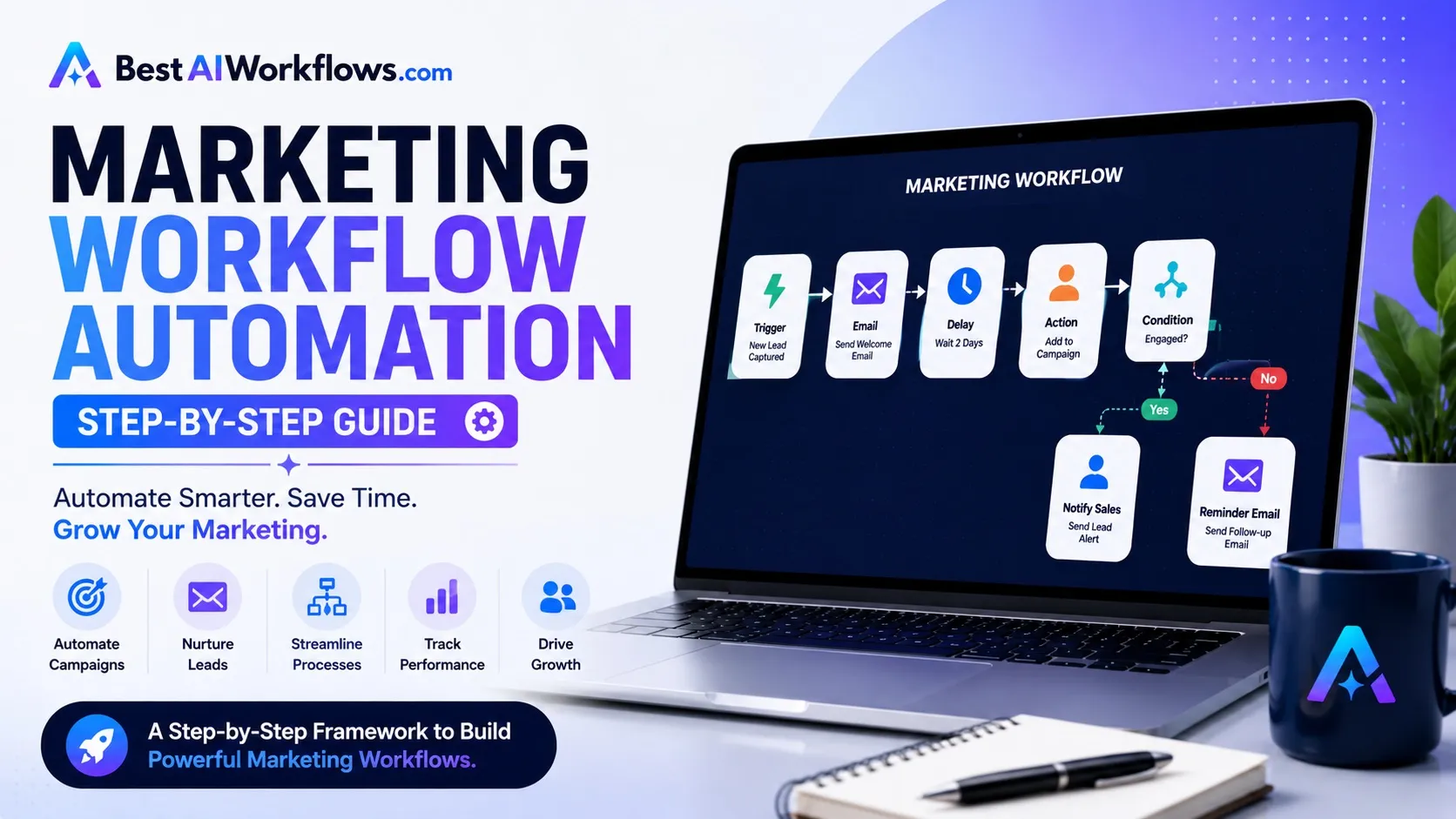
For example, when someone downloads an ebook from your website, a marketing workflow can automatically:
- Create a new contact in your CRM
- Assign a lead score
- Send a welcome email
- Add the contact to an email nurture sequence
- Notify the sales team if the lead meets qualification criteria
- Schedule a follow-up task
- Record campaign attribution for reporting
These automated workflows reduce manual work while ensuring every lead receives a consistent experience.
Why Marketing Workflow Automation Matters
Marketing teams often rely on multiple disconnected platforms, including CRMs, email marketing software, project management tools, analytics dashboards, and social media schedulers. Without automation, valuable time is spent transferring information between these systems.
Benefits of Marketing Workflow Automation
Save Time
Automate repetitive tasks such as campaign creation, email scheduling, reporting, and lead routing.
Improve Collaboration
Ensure marketers, designers, copywriters, and sales teams stay aligned throughout every campaign.
Deliver Better Customer Experiences
Automatically send personalized messages based on customer behavior and lifecycle stage.
Reduce Human Error
Eliminate manual data entry and ensure consistent execution across marketing campaigns.
Increase Marketing ROI
Automation allows teams to launch campaigns faster, nurture leads more effectively, and measure performance with greater accuracy.
Core Components of an AI Marketing Workflow
Every successful marketing automation workflow includes several essential components.
Data Collection
Information enters the workflow through:
- Website forms
- Landing pages
- Chatbots
- Webinar registrations
- Email subscriptions
- Social media campaigns
AI Processing
Artificial intelligence analyzes incoming data by:
- Scoring leads
- Classifying contacts
- Personalizing content
- Predicting customer intent
Workflow Automation
Automation platforms coordinate actions between connected systems.
Popular workflow builders include:
- Make
- Zapier
- HubSpot
- ClickUp
- Monday.com
Reporting
Dashboards automatically track campaign performance, conversions, and ROI.
Step-by-Step Marketing Workflow Automation
Step 1: Capture New Leads
Every workflow starts with lead acquisition.
Prospects may arrive through:
- Organic search
- Paid advertising
- Referral traffic
- Social media
- Email campaigns
- Content downloads
Instead of manually exporting contact information, automation software instantly transfers lead data into your CRM.
Step 2: Enrich Customer Data
Once a lead enters your system, AI can enrich their profile using information such as:
- Company name
- Industry
- Company size
- Job title
- Geographic location
- Website activity
This additional context improves segmentation and personalization.
Step 3: AI Lead Qualification
Not every lead deserves immediate sales attention.
AI evaluates:
- Website visits
- Pricing page activity
- Email engagement
- Download history
- Form submissions
- Company fit
High-value leads can automatically move to the sales team.
For advanced strategies, see AI Lead Qualification: How Businesses Can Automate Prospect Scoring.
Step 4: Personalized Email Automation
Marketing automation platforms trigger personalized email sequences based on customer behavior.
Examples include:
- Welcome emails
- Educational content
- Product recommendations
- Webinar invitations
- Case studies
- Trial onboarding
AI can also generate subject lines and email copy tailored to each audience segment.
Step 5: CRM Synchronization
Marketing and sales teams should never maintain separate customer records.
An automated workflow updates your CRM whenever:
- A lead submits a form
- A prospect books a meeting
- An email is opened
- A sales opportunity is created
- A customer converts
Businesses using AI-powered CRM systems should also explore Best AI CRM Software for Sales Teams in 2026.
Step 6: Sales Handoff
When a lead reaches a predefined qualification score, the workflow automatically:
- Assigns the lead to a sales representative
- Creates a CRM task
- Sends Slack or email notifications
- Schedules follow-up reminders
This creates a seamless transition between marketing and sales.
Step 7: Campaign Performance Reporting
Automation platforms collect marketing data from multiple sources and generate dashboards showing:
- Leads generated
- Conversion rates
- Campaign ROI
- Email performance
- Customer acquisition cost
- Revenue attribution
These reports help marketers optimize future campaigns.
Marketing Workflow Automation Examples
Content Marketing Workflow
Keyword Research
↓
AI Content Brief
↓
Content Writing
↓
Editor Review
↓
SEO Optimization
↓
Publishing
↓
Social Media Promotion
↓
Performance Tracking
Lead Generation Workflow
Website Visitor
↓
Lead Form
↓
AI Qualification
↓
CRM Entry
↓
Email Sequence
↓
Sales Notification
↓
Meeting Scheduled
This workflow pairs naturally with Best AI Workflows for Small Businesses and AI Sales Workflow: The Complete Guide for Modern Businesses.
Social Media Workflow
Content Creation
↓
Approval
↓
Scheduling
↓
Publishing
↓
Engagement Monitoring
↓
Performance Report
Best Tools for Marketing Workflow Automation
| Tool | Best For | Key Strength |
|---|---|---|
| HubSpot | All-in-one marketing automation | CRM + marketing |
| Make | Complex workflow automation | Visual automation builder |
| Zapier | Connecting marketing apps | Large integration library |
| ClickUp | Campaign management | Task and project automation |
| Monday.com | Marketing collaboration | Workflow visualization |
| Asana | Team coordination | Campaign planning |
| Airtable | Marketing operations | Flexible databases |
| Notion AI | Content marketing | Documentation and AI writing |
Common Mistakes to Avoid
Automating Broken Processes
Automation improves existing workflows—it doesn’t fix inefficient ones.
Ignoring Sales Alignment
Marketing and sales should share customer data and automation rules.
Overcomplicating Workflows
Start with simple automations before building advanced multi-step workflows.
Forgetting Human Oversight
AI should support marketers, not replace strategic thinking and creative decision-making.
Frequently Asked Questions
What is marketing workflow automation?
Marketing workflow automation uses software and AI to automate repetitive marketing tasks such as lead nurturing, campaign management, CRM updates, reporting, and customer communication.
Which businesses benefit from marketing workflow automation?
Small businesses, agencies, ecommerce stores, SaaS companies, and enterprise organizations can all improve productivity and campaign performance through automation.
What are the best marketing workflow automation tools?
HubSpot, Make, Zapier, ClickUp, Monday.com, Asana, Airtable, and Notion AI are among the leading platforms.
Can AI improve marketing workflows?
Yes. AI helps personalize campaigns, qualify leads, generate content, analyze customer behavior, and automate decision-making throughout the marketing process.
How do marketing workflows connect with sales?
Marketing workflows automatically qualify leads, update CRM systems, and notify sales teams when prospects are ready for outreach, creating a seamless handoff between marketing and sales.
Final Verdict
Marketing workflow automation enables businesses to deliver more effective campaigns while significantly reducing manual work. By connecting marketing platforms, CRM systems, AI assistants, and workflow automation tools, organizations can create repeatable processes that improve collaboration, increase productivity, and generate better business results.
For most growing businesses, the ideal technology stack includes HubSpot for CRM and marketing automation, Make or Zapier for workflow orchestration, and project management platforms such as ClickUp or Monday.com for campaign execution.
As your marketing operations mature, combining automation with AI-powered lead qualification, CRM integration, and sales workflows creates a scalable growth engine capable of supporting long-term business success.