
Introduction
Customer support has become one of the most important competitive advantages for modern businesses. Customers expect fast responses, personalized interactions, and consistent service across multiple channels.
Unfortunately, support teams often struggle with repetitive tickets, growing workloads, and limited resources. This is where artificial intelligence can make a significant impact.
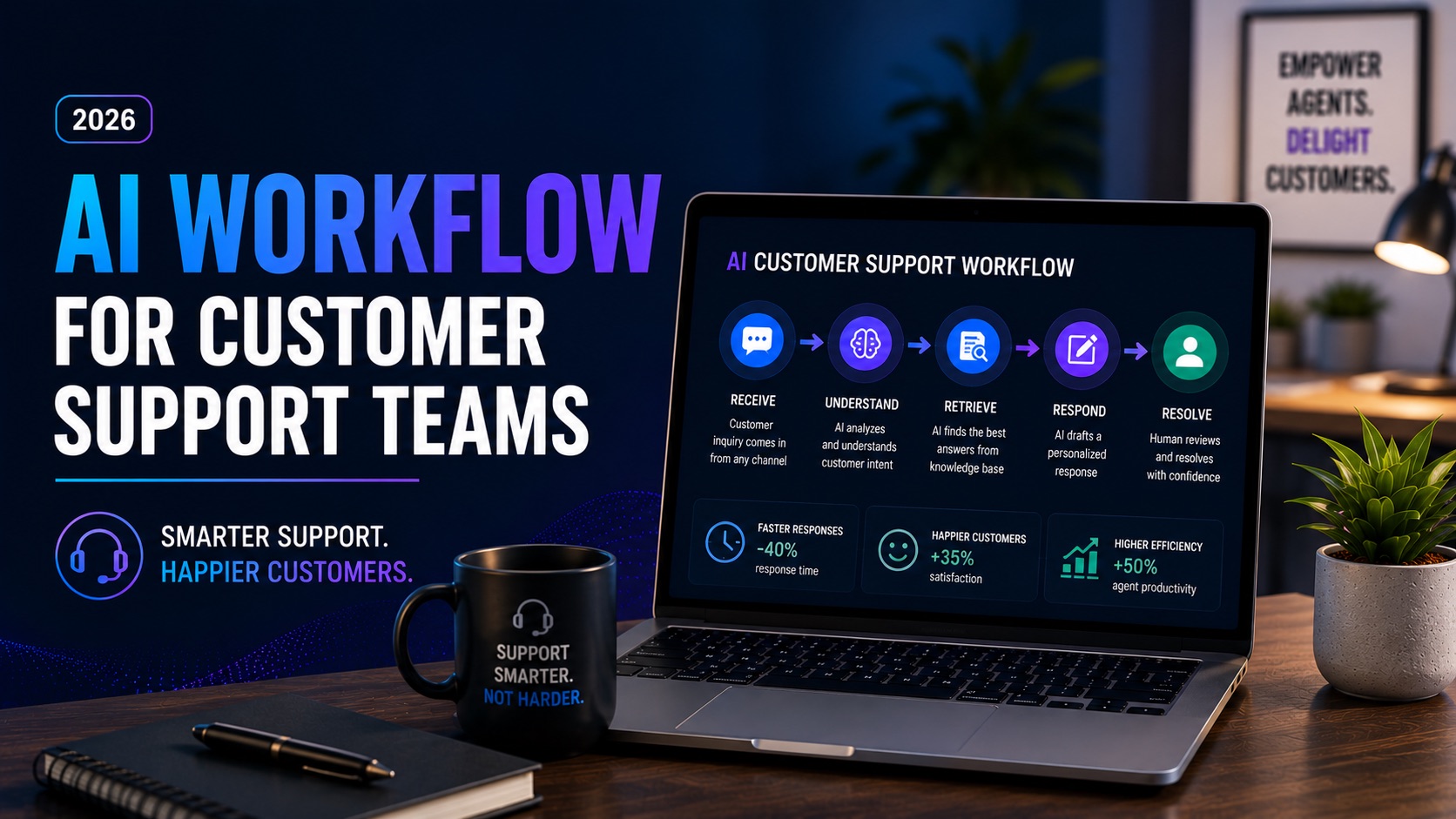
An AI workflow for customer support helps businesses automate repetitive tasks, improve response times, reduce operational costs, and deliver better customer experiences. Instead of manually handling every inquiry, support teams can use AI to classify tickets, answer common questions, route requests, generate responses, and identify action items.
In this guide, we’ll explore how to build an AI customer service workflow, the tools required, implementation best practices, and real-world examples of customer support automation.
What Is an AI Workflow for Customer Support?
An AI workflow for customer support is a sequence of automated actions powered by artificial intelligence. These workflows help support teams manage customer interactions more efficiently.
Typical workflow stages include:
• Ticket intake
• Ticket classification
• AI-generated responses
• Escalation routing
• Knowledge base recommendations
• Follow-up automation
• Customer satisfaction tracking
The goal is not to replace support agents but to help them work more effectively.
Why Customer Support Teams Need AI Automation
Support teams are under constant pressure to do more with less. AI helps address common challenges such as slow response times, repetitive questions, inconsistent service quality, and rising support costs.
Benefits include:
• Faster response times
• Reduced workload
• Improved customer satisfaction
• Better ticket prioritization
• Consistent communication
• 24/7 support availability
• Lower operational costs
How We Built This Workflow Framework
This framework is based on proven customer service automation practices used by SaaS companies, ecommerce brands, agencies, and service businesses. The objective is to create a practical workflow that can be implemented using modern AI tools and no-code automation platforms.
Step-by-Step AI Customer Service Workflow
Step 1: Capture Customer Requests
Collect requests from email, chat, contact forms, social media, and help desks.
Step 2: Categorize Tickets Automatically
Use AI to identify ticket type, urgency, and department requirements.
Step 3: Provide Instant Responses
AI chatbots answer common questions immediately using knowledge base content.
Step 4: Route Complex Cases
Escalate technical, billing, or sensitive issues to the appropriate human agent.
Step 5: Generate Suggested Responses
AI drafts responses that agents can review and send quickly.
Step 6: Update CRM Records
Automatically log interactions and customer information.
Step 7: Monitor Customer Satisfaction
Trigger surveys and sentiment analysis after resolution.
Step 8: Generate Reports
Create performance dashboards showing response times, ticket volume, and satisfaction metrics.
Best Support Automation Software
Zendesk AI
Industry-leading customer support platform with AI-powered ticket routing and automation.
Intercom
Excellent for conversational support, chatbots, and customer engagement.
Freshdesk
Provides automation, ticket management, and AI-assisted support workflows.
ChatGPT
Useful for response generation, knowledge base creation, and support assistance.
HubSpot Service Hub
Combines CRM data with customer support automation.
Zapier
Connects support platforms and automates repetitive tasks.
Make
Builds advanced customer support workflows without coding.
Help Scout
Popular support platform with collaborative tools and automation features.
Customer Support Automation Examples
Example 1: Ecommerce Support
A customer asks about order status. AI retrieves shipping information, responds instantly, and only escalates if a delivery issue exists.
Example 2: SaaS Support
AI categorizes technical issues, recommends knowledge base articles, and routes complex bugs to engineering teams.
Example 3: Service Businesses
AI handles appointment changes, FAQs, and basic inquiries while human staff focus on higher-value interactions.
Common Mistakes to Avoid
• Over-automating sensitive interactions
• Using outdated knowledge bases
• Failing to monitor AI performance
• Ignoring customer feedback
• Not providing human escalation options
• Automating broken processes
How to Measure Success
Key metrics include:
• First response time
• Average resolution time
• Customer satisfaction score (CSAT)
• Net Promoter Score (NPS)
• Ticket volume
• Escalation rate
• Cost per ticket
• Agent productivity
Benefits of AI Customer Support Workflows
Organizations that implement AI workflows often see significant improvements in efficiency and customer experience. AI can reduce repetitive work, improve consistency, increase agent productivity, and enable support teams to scale without dramatically increasing staffing costs.
Frequently Asked Questions
What is an AI workflow for customer support?
A workflow that uses AI to automate support tasks such as ticket routing, responses, and reporting.
Can AI replace customer service agents?
No. AI supports agents but human expertise remains essential for complex issues.
Which support automation software is best?
Zendesk, Intercom, Freshdesk, HubSpot, and ChatGPT are popular choices.
How much can AI reduce support costs?
Savings vary, but many businesses reduce workload significantly through automation.
Do small businesses need AI support workflows?
Yes. Even small teams can benefit from faster response times and reduced manual work.
Final Verdict
An AI workflow for customer support is one of the most impactful automations businesses can implement. By automating ticket handling, routing, response generation, and reporting, organizations can improve customer experiences while reducing operational costs.
The most effective strategy is to start with one workflow, measure results, and expand automation gradually. Over time, AI customer service workflows can become a powerful competitive advantage.