
Time to Read:
Table of Contents
Introduction
Every business already has a knowledge base—it just isn’t organized.
Some knowledge lives in Google Drive. Some is hidden inside Slack conversations. Sales playbooks sit in Notion, HR policies are stored in SharePoint, customer documentation exists in Confluence, and critical processes remain locked inside employees’ heads.
As businesses grow, this scattered information becomes a major productivity problem. Employees waste time searching for answers, support teams recreate documentation, and new hires struggle to find the information they need.
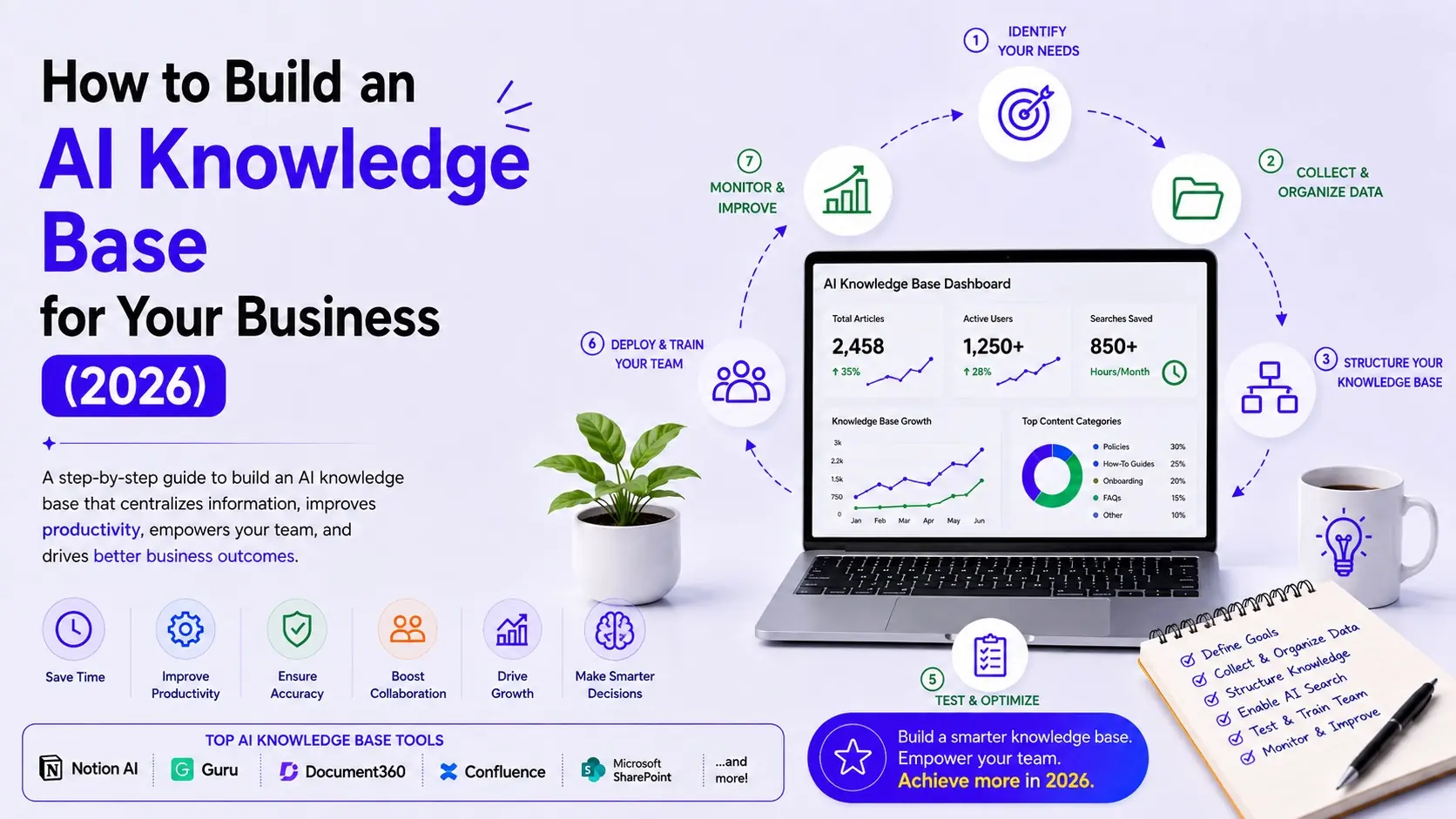
The solution isn’t simply buying another documentation tool. It’s building an AI knowledge base that centralizes information, makes it searchable through natural language, and continuously improves over time.
This guide walks you through the complete implementation process—from auditing existing knowledge to creating an AI-powered knowledge ecosystem that supports employees, customers, and AI agents.
Looking for software recommendations?
Read Best AI Knowledge Base Software in 2026 for platform comparisons.
This article focuses on how to implement an AI knowledge base, regardless of which software you choose.
What Is an AI Knowledge Base?
An AI knowledge base is a centralized repository of company information enhanced with artificial intelligence.
Instead of employees manually searching folders or asking coworkers repetitive questions, AI retrieves relevant information from trusted sources and presents it in a conversational format.
A modern AI knowledge base typically includes:
- Standard operating procedures (SOPs)
- HR policies
- Product documentation
- Customer support articles
- Sales playbooks
- Marketing guidelines
- Process documentation
- Training materials
- Internal FAQs
- Technical documentation
Unlike a traditional company wiki, AI enhances knowledge by providing semantic search, summaries, recommendations, and contextual answers.
Why Every Growing Business Needs an AI Knowledge Base
Without a centralized knowledge system, organizations often experience:
- Employees asking the same questions repeatedly
- Duplicate documentation
- Slow onboarding
- Inconsistent customer responses
- Lost institutional knowledge
- Lower productivity
- Difficulty scaling operations
An AI knowledge base solves these issues by creating a single source of truth that is easy to maintain and search.
Key Benefits
- Faster employee onboarding
- Improved collaboration
- Reduced support tickets
- Better documentation quality
- Increased productivity
- More effective AI assistants and AI agents
- Stronger workflow automation
Step 1: Audit Existing Company Knowledge
Before selecting software, identify where knowledge currently exists.
Common sources include:
- Google Drive
- Microsoft 365
- SharePoint
- Notion
- Confluence
- Slack
- Microsoft Teams
- CRM systems
- Help desk software
- Email archives
- Internal PDFs
- SOP documents
Create a spreadsheet with:
| Source | Owner | Type | Status |
|---|---|---|---|
| Google Drive | Operations | SOPs | Current |
| Notion | Marketing | Campaigns | Current |
| Slack | Company-wide | Discussions | Needs review |
| SharePoint | HR | Policies | Current |
The goal is to understand what already exists before creating new documentation.
Step 2: Identify Authoritative Information Sources
Not every document should become part of your AI knowledge base.
Identify the authoritative source for each category of information.
Examples:
| Knowledge Type | Primary Source |
|---|---|
| HR Policies | SharePoint |
| Product Documentation | Confluence |
| Sales Playbooks | Notion |
| Customer FAQs | Help Center |
| SOPs | Process Documentation Platform |
Avoid maintaining multiple conflicting versions of the same information.
One authoritative source reduces confusion and improves AI answer quality.
Step 3: Choose an AI Knowledge Platform
Select a platform based on your business size and use case.
Small Businesses
- Notion AI
- Slite
- Tettra
Documentation-Heavy Businesses
- Document360
- Confluence
Enterprise Organizations
- Guru
- Glean
- Microsoft SharePoint + Copilot
When evaluating platforms, consider:
- AI search quality
- Knowledge management capabilities
- Integrations
- Permission controls
- AI-generated answers
- Scalability
- Pricing
For detailed comparisons, see Best AI Knowledge Management Software in 2026 and Best AI Knowledge Base Software in 2026.
Step 4: Structure Documents and Information
AI works best with well-organized information.
Create consistent document templates.
Example SOP Structure
- Title
- Purpose
- Scope
- Responsibilities
- Prerequisites
- Procedure
- Exceptions
- Related Documents
- Owner
- Review Date
Use folders, tags, categories, and metadata consistently across departments.
Good structure improves both search accuracy and long-term maintenance.
Step 5: Connect Existing Applications
One of the biggest advantages of AI knowledge systems is their ability to search across multiple applications.
Typical integrations include:
- Google Workspace
- Microsoft 365
- Slack
- Teams
- Salesforce
- HubSpot
- Jira
- GitHub
- Zendesk
- Freshdesk
- Document360
- Notion
- Confluence
Instead of migrating every document into one platform, modern AI search tools can retrieve information from connected sources while respecting permissions.
Step 6: Implement AI Search and Q&A
Once knowledge is centralized or connected, configure AI-powered search.
Employees should be able to ask questions naturally, such as:
“How do we onboard a new enterprise customer?”
or
“What’s our travel reimbursement policy?”
The AI should:
- Search authorized sources
- Retrieve relevant documents
- Generate concise answers
- Link to supporting documentation
- Respect access permissions
This significantly reduces time spent searching across multiple systems.
Step 7: Configure Access Permissions
Not all knowledge should be available to everyone.
Implement role-based access controls.
Example:
| Department | Access |
|---|---|
| HR | HR documentation |
| Sales | Sales playbooks |
| Finance | Financial procedures |
| Support | Customer documentation |
| Executives | Company-wide |
Permission-aware AI ensures users only receive answers based on content they are authorized to access.
Step 8: Create Human Review Processes
AI can draft documentation and surface answers, but humans remain responsible for accuracy.
Assign an owner to every knowledge category.
Each document should include:
- Owner
- Last reviewed date
- Review frequency
- Approval status
Recommended review schedule:
- Critical policies: Quarterly
- SOPs: Every 6 months
- Product documentation: After major releases
- Marketing playbooks: As campaigns evolve
Governance keeps your knowledge base trustworthy.
Step 9: Track Unanswered Questions
One of the most valuable AI metrics is identifying questions the system cannot answer.
Monitor:
- Failed searches
- Frequently asked questions
- Low-confidence responses
- Missing documentation
- Repeated support requests
These insights reveal gaps in your knowledge base and guide future documentation efforts.
For example, if multiple employees search for “remote work reimbursement” and receive no useful answer, that’s a clear signal to create or update documentation.
Step 10: Continuously Improve the Knowledge Base
An AI knowledge base is never “finished.”
Create an improvement cycle:
Knowledge Created
↓
Reviewed
↓
Published
↓
Used
↓
Feedback Collected
↓
Updated
↓
AI Reindexed
↓
Improved Answers
Measure success using:
- Search success rate
- Average time to find information
- Knowledge article usage
- Employee adoption
- Customer self-service rate
- Support ticket reduction
- Documentation freshness
Continuous improvement ensures your knowledge base grows alongside your business.
Example AI Knowledge Base Workflow
Employee Creates SOP
↓
Manager Reviews
↓
Knowledge Published
↓
AI Indexes Content
↓
Employee Asks Question
↓
AI Retrieves Answer
↓
Feedback Submitted
↓
Documentation Improved
↓
Knowledge Base Updated
Best Practices
Keep One Source of Truth
Avoid maintaining duplicate versions of the same document.
Use Standard Templates
Consistency improves readability and AI indexing.
Define Ownership
Every document should have a clearly assigned owner.
Automate Routine Tasks
Use AI to:
- Draft documentation
- Summarize meetings
- Suggest related articles
- Recommend updates
Train Employees
Teach teams how to contribute knowledge effectively and use AI search efficiently.
Common Mistakes to Avoid
- Choosing software before auditing existing knowledge
- Importing outdated documentation
- Ignoring permission management
- Failing to assign document owners
- Neglecting regular reviews
- Measuring success only by document count instead of usage
Recommended Software
Depending on your needs, consider:
| Use Case | Recommended Platform |
|---|---|
| Overall Knowledge Management | Notion AI |
| Enterprise Search | Glean |
| Internal Knowledge | Guru |
| Documentation | Document360 |
| Technical Teams | Confluence + Rovo |
| Small Businesses | Tettra |
| Microsoft Organizations | SharePoint + Copilot |
For platform comparisons, read:
- Best AI Knowledge Management Software in 2026
- Best AI Knowledge Base Software in 2026
- Best AI Enterprise Search Tools in 2026
Frequently Asked Questions
What is an AI knowledge base?
An AI knowledge base is a centralized repository of business information enhanced with artificial intelligence to improve search, retrieval, documentation, and knowledge sharing.
How do I build an AI knowledge base?
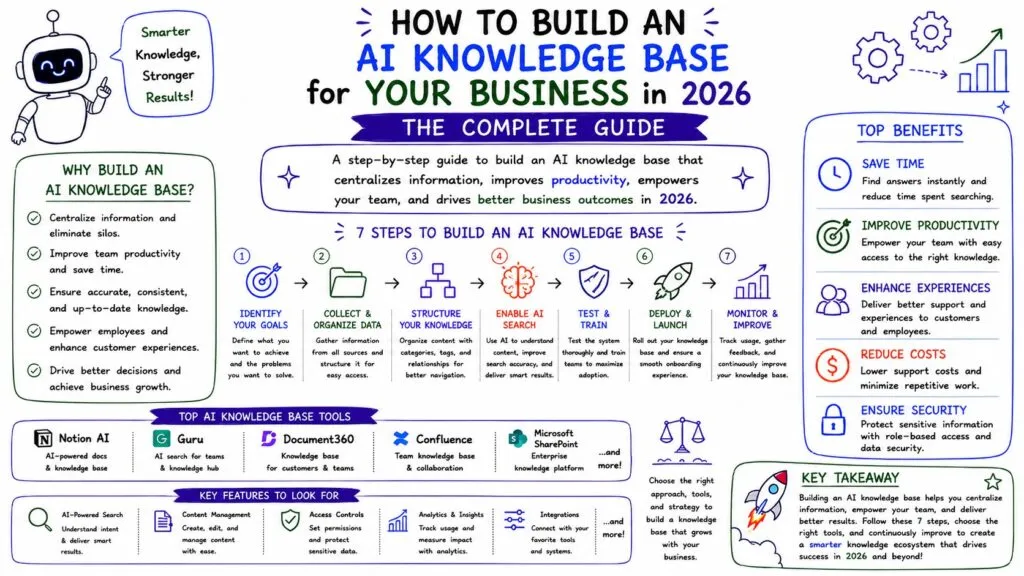
Start by auditing existing knowledge, identifying authoritative sources, selecting the right platform, organizing documents, connecting business applications, enabling AI search, configuring permissions, establishing review processes, tracking unanswered questions, and continuously improving the system.
What’s the difference between an AI knowledge base and a company wiki?
A traditional company wiki stores information, while an AI knowledge base adds intelligent search, natural-language Q&A, recommendations, summaries, and contextual retrieval.
Can small businesses build an AI knowledge base?
Yes. Platforms such as Notion AI, Tettra, Slite, and Document360 provide cost-effective solutions suitable for small and growing businesses.
How often should an AI knowledge base be updated?
Critical documentation should be reviewed quarterly, while other content can follow six- or twelve-month review cycles depending on how frequently processes change.
Final Verdict
Building an AI knowledge base is not a one-time project—it is an ongoing business capability.
The most successful organizations begin by understanding where their knowledge already exists, identifying trusted sources, and selecting a platform that fits their needs. From there, they establish consistent documentation standards, connect business applications, enable AI-powered search, and create governance processes that keep information accurate.
By following the lifecycle outlined in this guide—Audit → Identify → Choose → Structure → Connect → Search → Secure → Review → Measure → Improve—your business can transform scattered information into a searchable, reliable knowledge system that supports employees, customers, and AI-powered workflows.
As your organization adopts workflow automation and AI agents, this knowledge base becomes more than a documentation repository—it becomes the foundation of an intelligent business.