
Introduction
Finance teams spend countless hours processing invoices, reconciling transactions, preparing reports, and ensuring financial accuracy. While these tasks are essential, many are repetitive and time-consuming.
Artificial intelligence is transforming finance operations by automating invoice processing, data extraction, approvals, reconciliations, and financial reporting. Instead of manually entering invoice data and compiling reports, organizations can leverage AI-powered workflows to improve efficiency, accuracy, and visibility.
This guide explains how to build an AI workflow for invoice processing and financial reporting, the tools involved, implementation best practices, and the measurable benefits businesses can expect.
What Is AI Invoice Processing?
AI invoice processing uses artificial intelligence, machine learning, and document recognition technologies to extract information from invoices automatically.
Rather than manually entering vendor names, invoice numbers, dates, amounts, and payment terms, AI systems identify and process this information automatically. Data is then validated, categorized, and routed through approval workflows.
The result is faster processing, fewer errors, and lower operational costs.
Why Finance Teams Are Adopting AI
Organizations are increasingly adopting AI because traditional financial processes are labor-intensive and difficult to scale.
Benefits include:
• Reduced manual data entry
• Faster invoice approvals
• Improved reporting accuracy
• Better cash flow visibility
• Reduced processing costs
• Improved compliance
• Faster month-end close
• Enhanced productivity
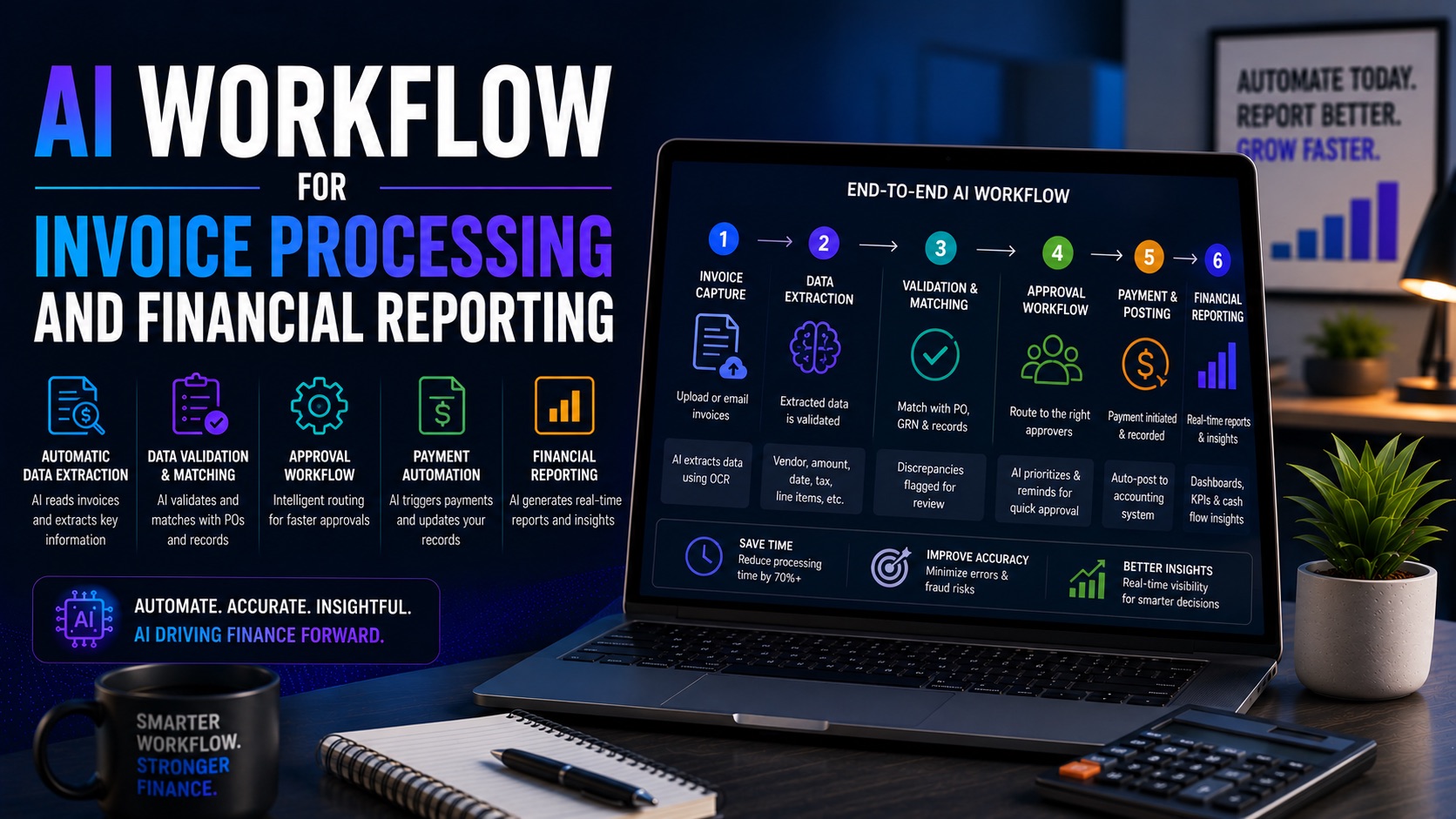
How an AI Invoice Processing Workflow Works
Step 1: Invoice Collection
Invoices arrive via email, uploads, ERP systems, or vendor portals.
Step 2: Data Extraction
AI extracts invoice details including vendor information, dates, amounts, and payment terms.
Step 3: Validation
The system validates extracted data against business rules and historical records.
Step 4: Approval Routing
Invoices are automatically routed to appropriate approvers.
Step 5: Accounting System Update
Approved invoices are synchronized with accounting software.
Step 6: Payment Processing
Payment workflows are initiated automatically.
Step 7: Reporting and Analytics
Financial dashboards and reports are updated in real time.
Step 8: Audit Trail Creation
Every action is documented for compliance and auditing purposes.
AI Financial Reporting Workflow
Modern financial reporting workflows use AI to collect data from accounting systems, categorize transactions, identify anomalies, generate reports, and produce executive summaries.
Instead of spending days preparing monthly reports, finance teams can access near real-time insights and automated reporting dashboards.
Best Tools for Accounting Automation
QuickBooks Online
Provides bookkeeping automation, categorization, and reporting features.
Xero
Automates reconciliation and financial management workflows.
Dext
Captures receipts and automates document processing.
Vic.ai
Specializes in AI-powered accounts payable automation.
FloQast
Supports close management and financial operations automation.
Sage Intacct
Enterprise-grade accounting automation and reporting platform.
Zapier
Connects accounting tools and automates repetitive processes.
Make
Builds advanced finance automation workflows.
Benefits of Finance Automation Workflows
Finance automation workflows improve efficiency across the organization.
Key benefits include:
• Faster processing times
• Improved accuracy
• Lower operational costs
• Better compliance
• Reduced manual effort
• Enhanced reporting visibility
• Faster decision-making
• Improved scalability
Real-World Example
A growing business receives hundreds of invoices every month.
Without AI:
• Staff manually enter invoice details.
• Approvals are handled via email.
• Reporting requires spreadsheet consolidation.
With AI:
• Invoice data is extracted automatically.
• Approval routing is automated.
• Reports update in real time.
• Finance teams focus on analysis instead of administration.
The result is a faster and more scalable finance operation.
Common Mistakes to Avoid
• Automating poorly defined processes
• Ignoring data quality issues
• Failing to establish approval rules
• Not monitoring workflow performance
• Overlooking compliance requirements
• Using disconnected systems
KPIs to Measure
Track:
• Invoice processing time
• Cost per invoice
• Approval cycle time
• Reporting accuracy
• Days to close
• Error rates
• Staff productivity
• Cash flow visibility
Frequently Asked Questions
What is AI invoice processing?
AI invoice processing automates invoice capture, extraction, validation, and approvals.
Can AI improve financial reporting?
Yes. AI reduces manual work and provides faster reporting insights.
What is a finance automation workflow?
A workflow that automates financial processes such as invoices, approvals, reconciliations, and reporting.
Which tools are best for accounting automation?
QuickBooks, Xero, Dext, Vic.ai, and FloQast are popular choices.
Can small businesses use AI finance workflows?
Yes. Many solutions are designed specifically for small and growing businesses.
Final Verdict
AI invoice processing and financial reporting workflows are among the highest-impact automations available to finance teams. By automating invoice capture, approvals, reconciliation, and reporting, organizations can improve efficiency, reduce costs, and gain better visibility into financial performance.
The most successful implementations start with a single workflow and expand gradually. Over time, finance automation becomes a competitive advantage that supports growth and operational excellence.